
An extensive architectural analysis of Square UI, a premium open-source suite of Next.js workspaces built in parallel with Radix UI and MUI's Base UI.

One of the greatest challenges in modern frontend engineering is bridging the gap between isolated UI primitives and fully integrated workspaces. While component libraries like shadcn/ui give us individual buttons, inputs, and dialogs, assembling them into complex, responsive, state-managed applications still takes a massive amount of time.
To solve this, Cameroonian designer and software architect Leonel Ngoya (LN Dev) created Square UI—a curated, open-source collection of Next.js app templates.
What makes Square UI truly unique is its dual-framework architecture: every core template is built in parallel using both Radix UI (the standard backend for shadcn/ui) and MUI's Base UI (an unstyled React primitive library). This makes it an invaluable reference for comparing headless APIs, event handling, and styling paradigms.
Let's dive deep into the architecture, state management patterns, and catalog of this outstanding toolkit.
🛠️ The Core Architectural Stack
Every template in this ecosystem is engineered using modern web development best practices:
- Next.js & TypeScript: Statically optimized layouts using Next.js App Router conventions and type-safe component APIs.
- Tailwind CSS: Pixel-perfect responsive styling that supports system-wide dark/light modes.
- Modular Zustand Stores: Rather than using a giant global state, each template contains its own self-contained Zustand store (e.g.,
bookmarks-store.ts,calendar-store.ts,emails-store.ts). This ensures you can copy-paste a single folder into your project and it will work immediately. - Recharts: Responsive SVG charts used for complex analytics, including multi-line leads charts and budget allocation dials.
- TanStack Table (React Table): Handles heavy administrative data grids with client-side sorting, pagination, filtering, and selection.
📂 Deep Dive: The Template Catalog
Let's walk through the core application templates in the library, analyze their folder structures, and check out their live demos.
1. Circle (Issue & Sprint Tracker)
Inspired by Linear's high-speed workflow, Circle is a premium project management template designed to orchestrate software cycles, issues, and team collaborations.
Radix UI Layout
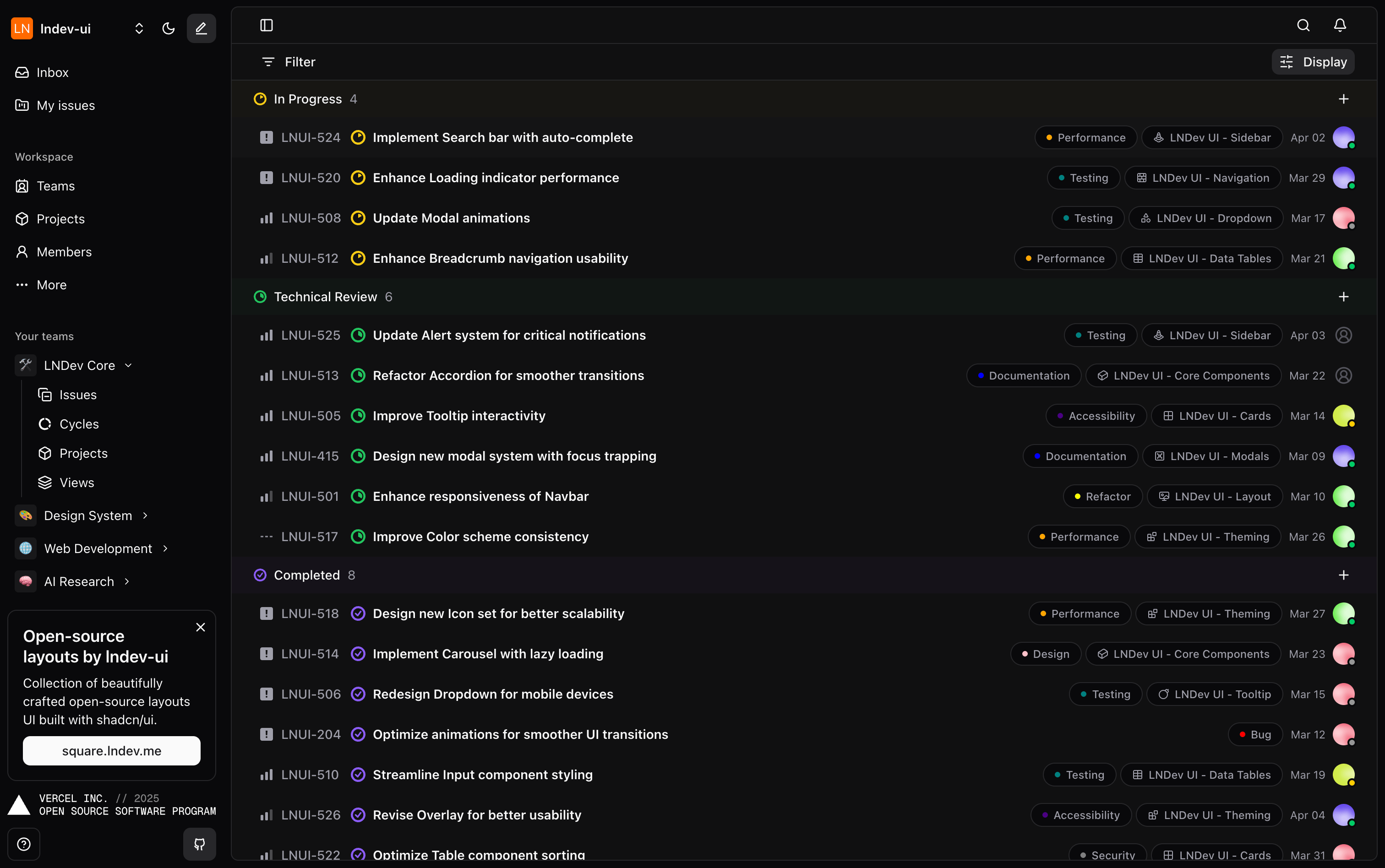
- GitHub Source: templates/circle
- Live Preview: circle.lndev.me
Base UI Layout
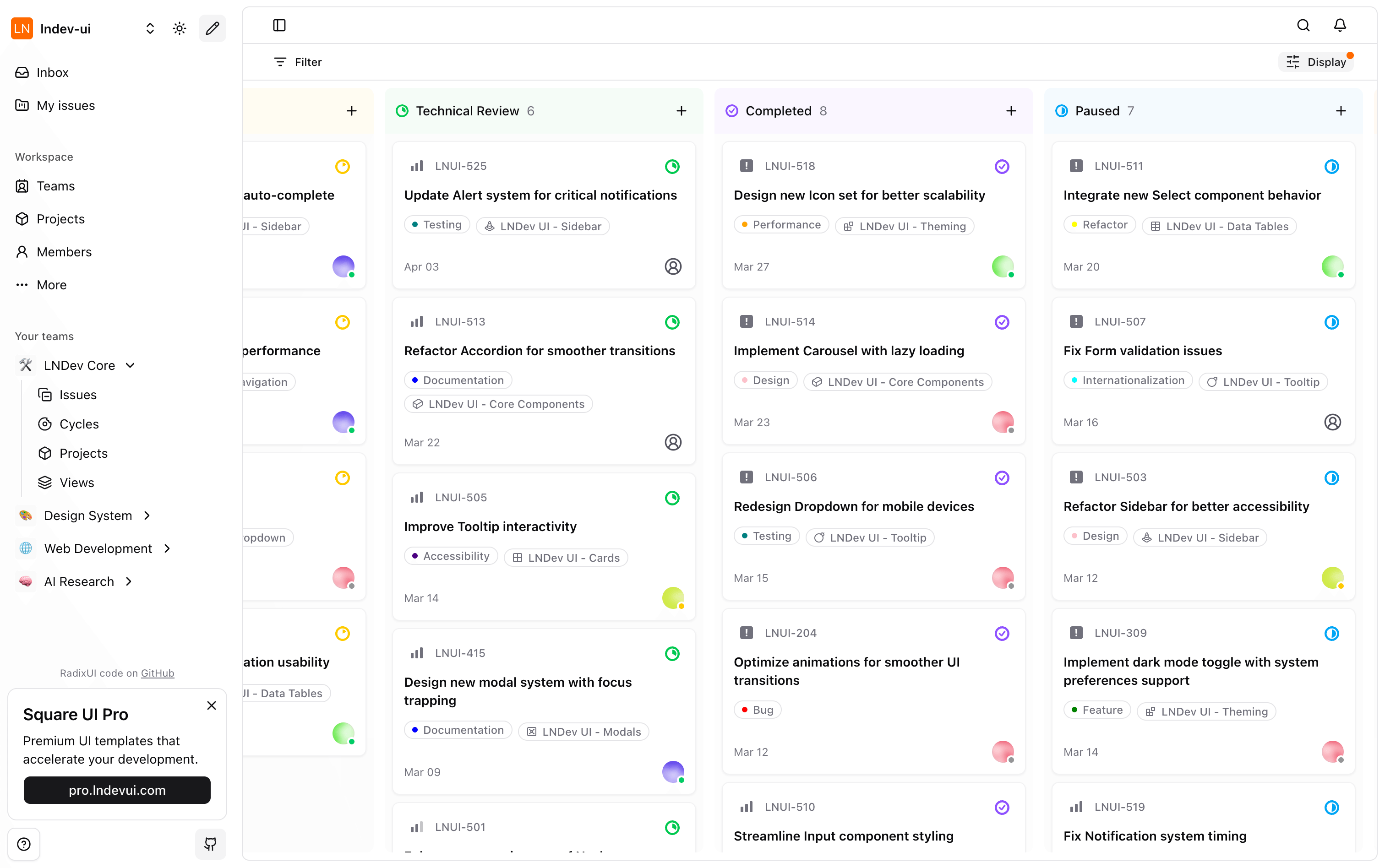
- GitHub Source: Base UI Source
Architectural Breakdown
- Layout: Collapsible left sidebar for workspace navigation, key issue filters, and a main board utilizing a horizontal column grid.
- Tech Highlights: Custom keyboard shortcut listeners, dynamic search dialogs, and drag-and-drop column boards.
2. Habit Tracker
A gamified lifestyle application designed for completion tracking, goal streak monitoring, and metrics visualization.
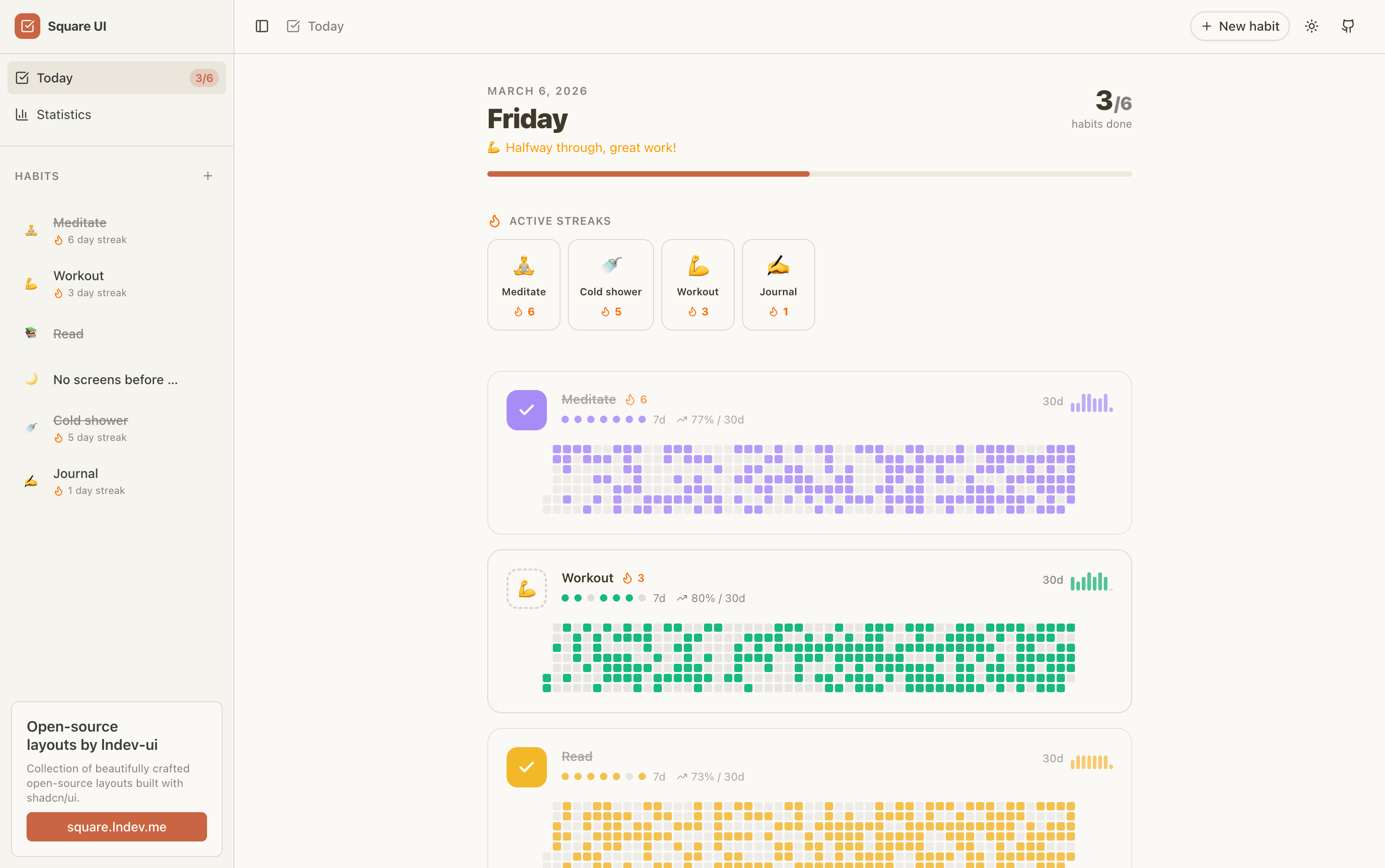
- GitHub Source (Radix UI): templates/habit-tracker
- GitHub Source (Base UI): templates-baseui/habit-tracker
- Live Preview: View Habit Tracker Demo
Architectural Breakdown
- Layout: Two-tab panel layout separating the daily checklist from a comprehensive statistics dashboard.
- Tech Highlights: Includes a Git-style contribution heatmap (using
date-fnsand custom CSS grids) to visualize completion history over the past year. Driven by a dedicatedhabit-store.ts.
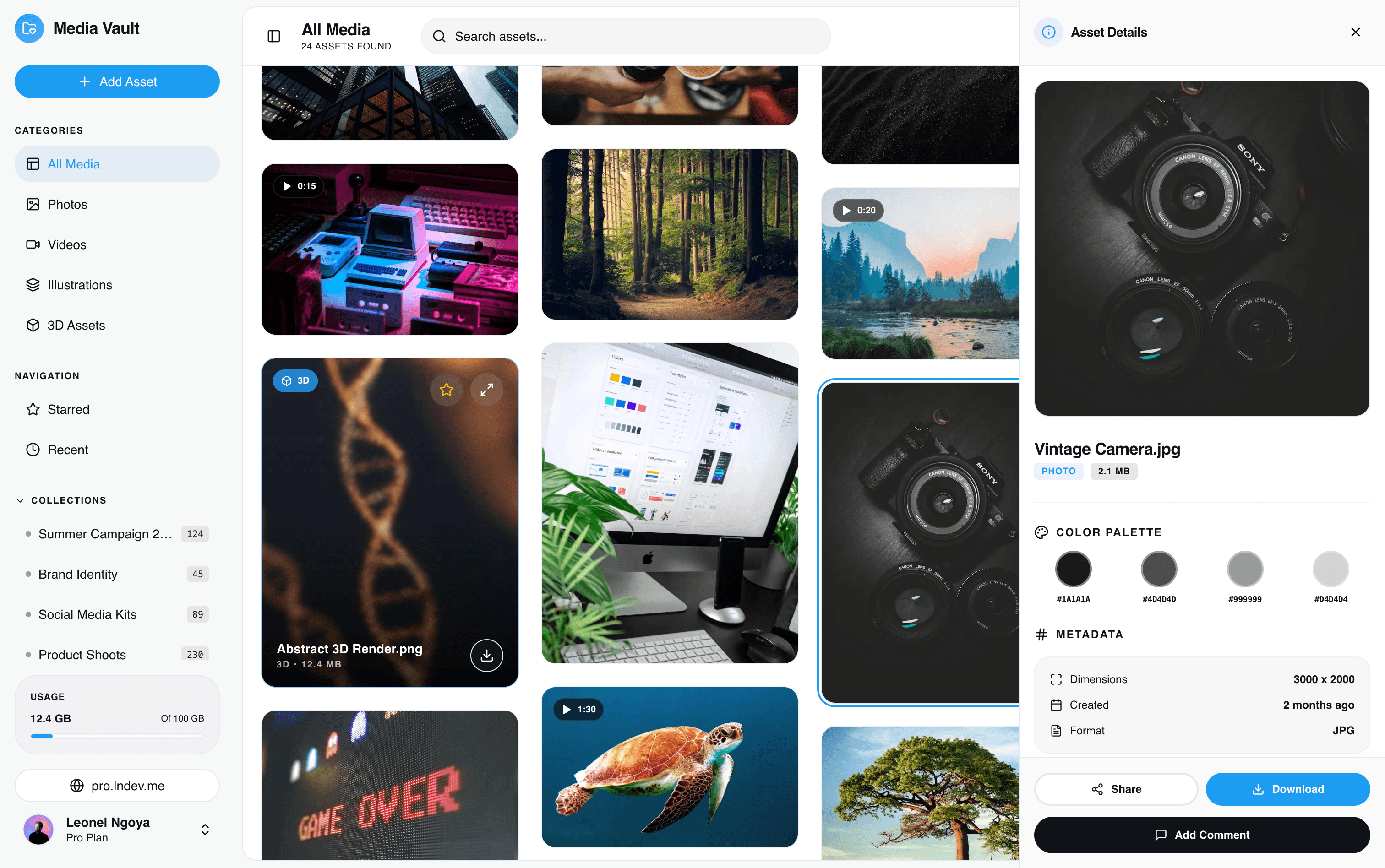
3. File Manager & Media Vault
A secure layout for organizing, uploading, and viewing digital files and media assets.
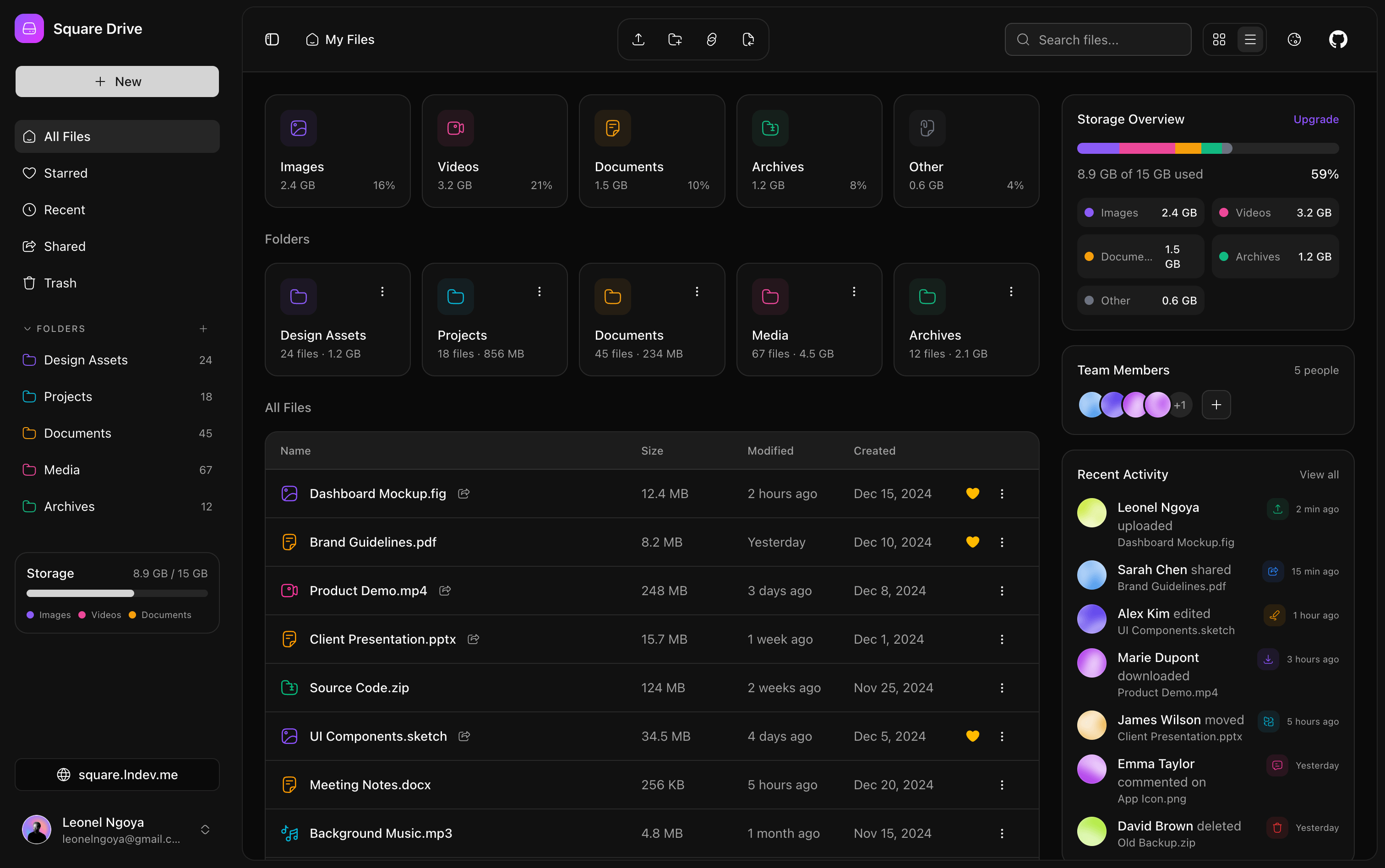
- GitHub Source (Files - Radix): templates/files
- GitHub Source (Files - Base UI): templates-baseui/files
- Live Preview: View Files Demo
Architectural Breakdown
- Layout: A left sidebar with disk space indicator progress bars, a main folder/file grid, and a right slide-out drawer (
sheet.tsx) for file metadata details. - Tech Highlights: HTML5 drag-and-drop APIs, custom layout cards, and progress bars driven by
files-store.ts.
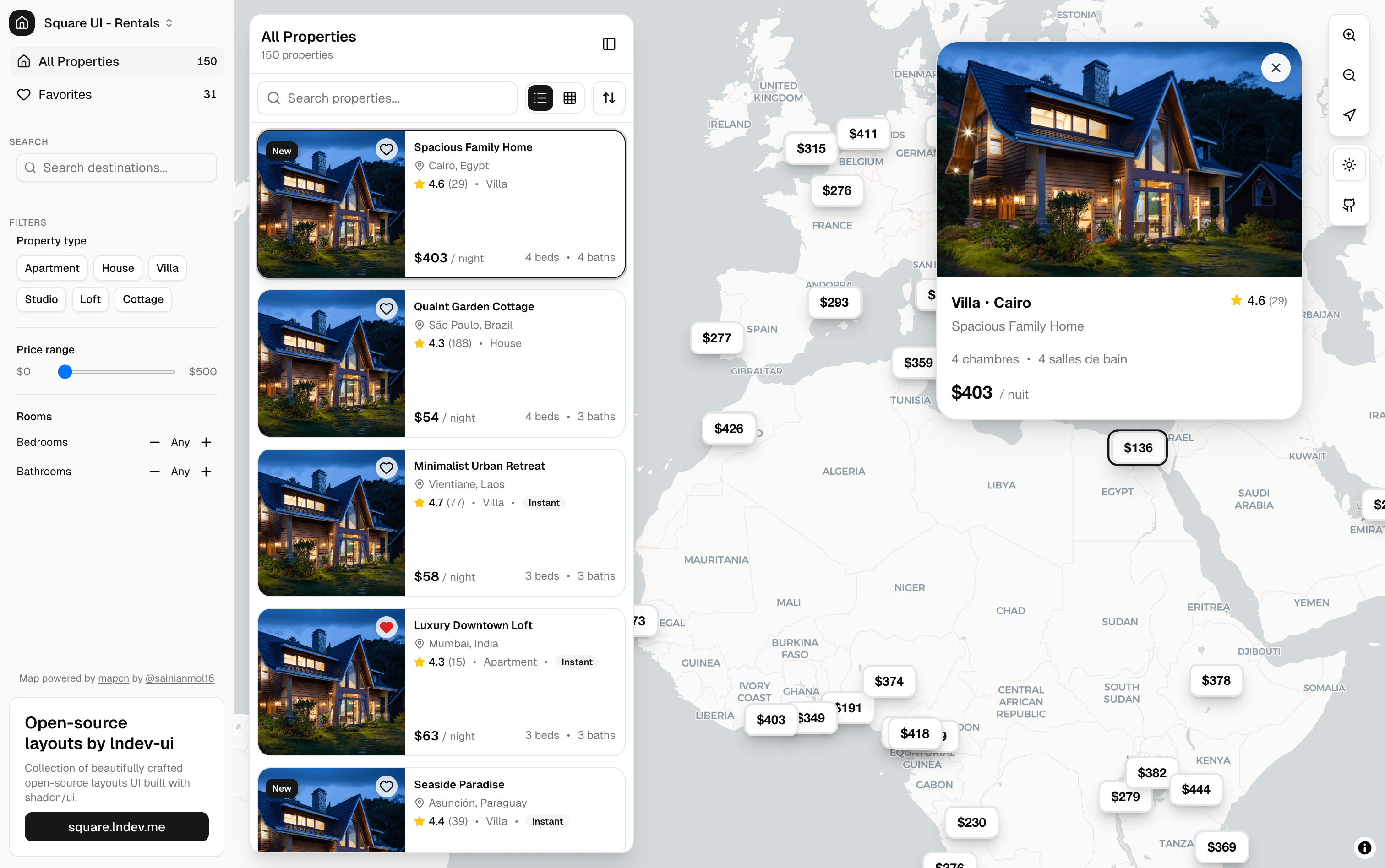
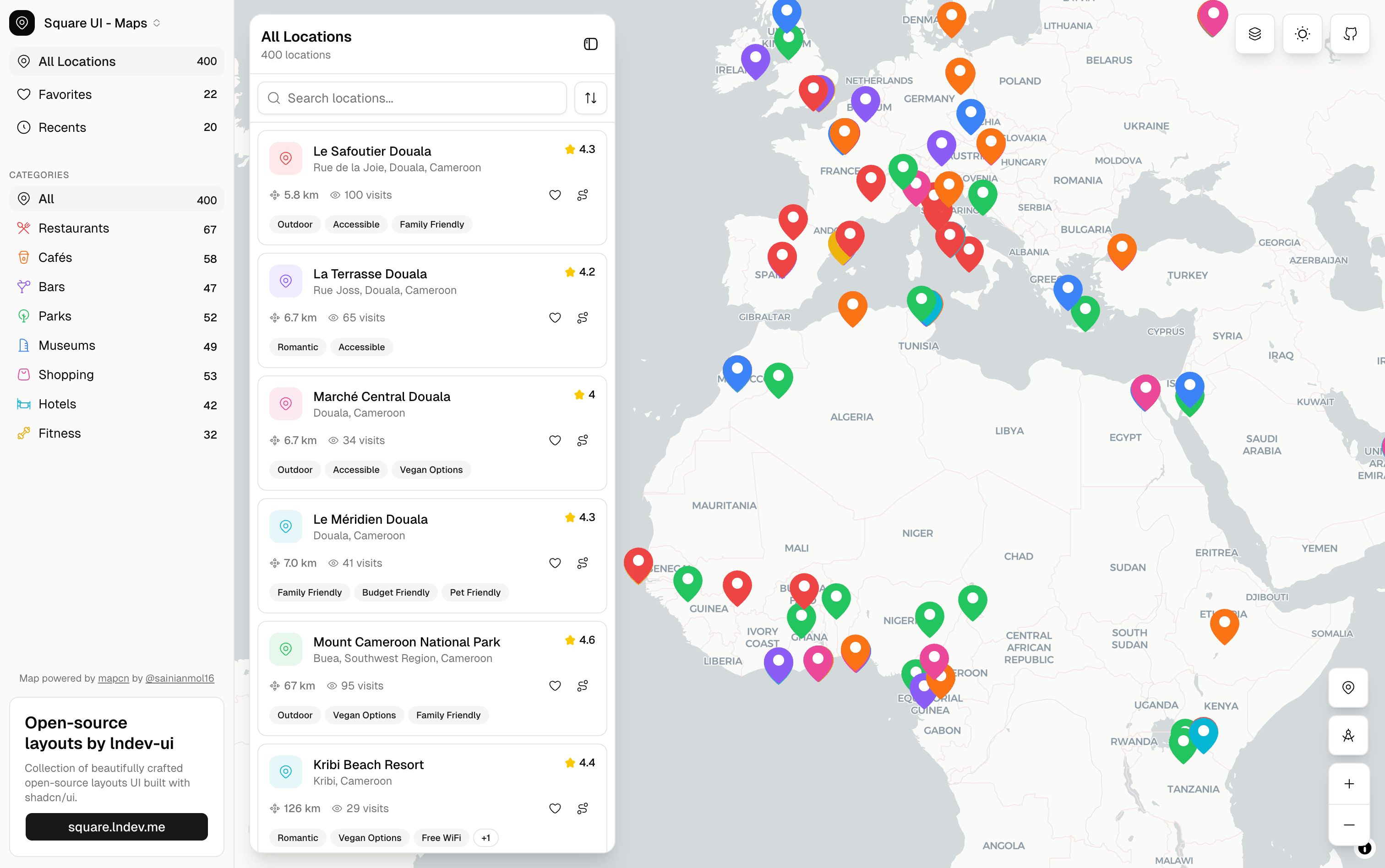
4. Rentals & Map Explorer
A platform for rental property listings combined with a geospatial location-tracking dashboard.
- GitHub Source (Rentals - Radix): templates/rentals
- GitHub Source (Rentals - Base UI): templates-baseui/rentals
- Live Preview (Rentals): View Rentals Demo
- GitHub Source (Maps - Radix): templates/maps
- GitHub Source (Maps - Base UI): templates-baseui/maps
- Live Preview (Maps): View Maps Demo
Architectural Breakdown
- Layout: A split-screen layout. The left side handles search queries and lists properties, while the right side displays an interactive Mapbox-driven canvas with pinned coordinate markers.
- Tech Highlights: Integrated price-range sliders (
slider.tsx), zoom controls, and sidebar location bookmarkers.
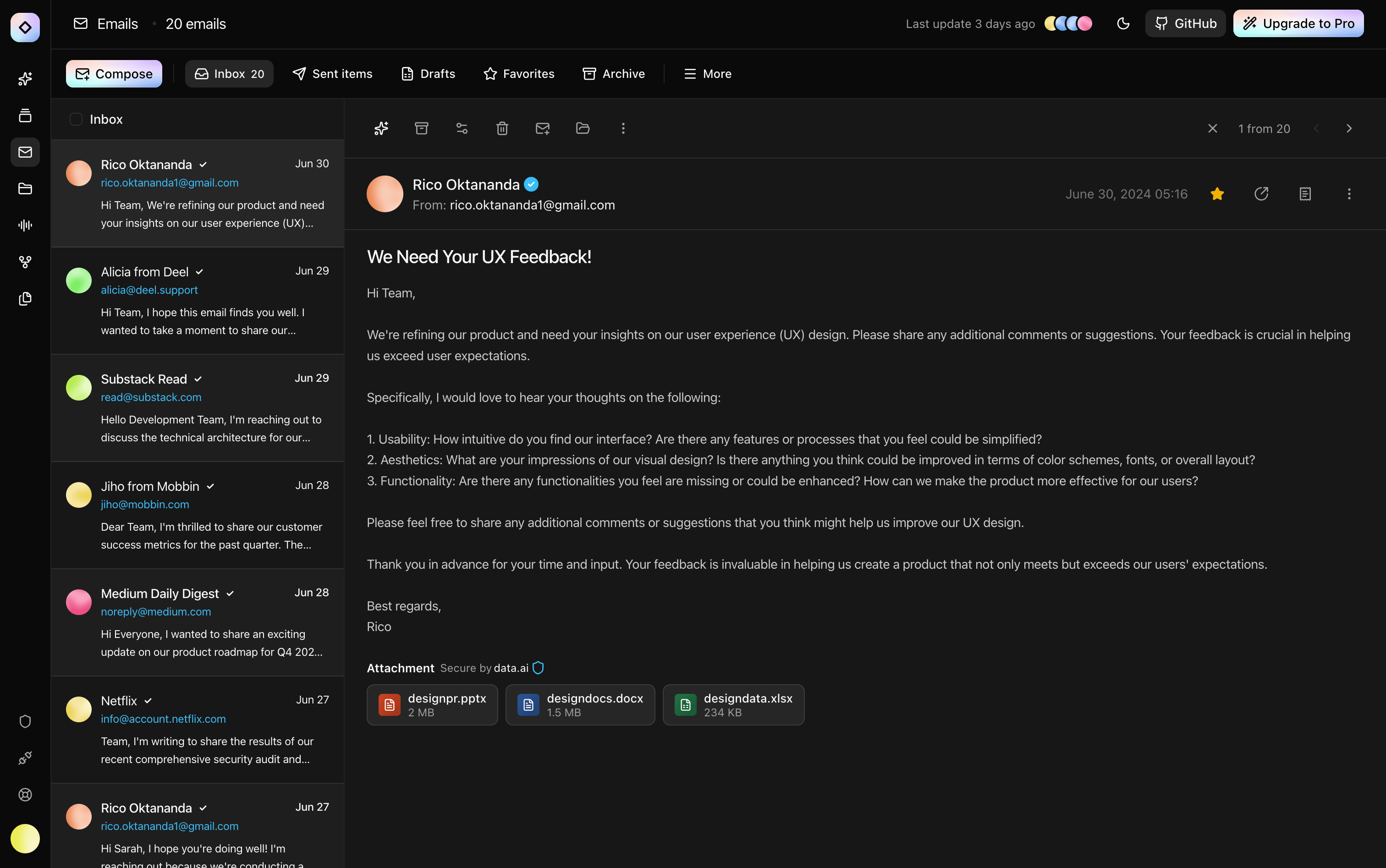
5. Email Client
A full-fledged client interface for reading, writing, and organizing messages.
- GitHub Source (Radix UI): templates/emails
- GitHub Source (Base UI): templates-baseui/emails
- Live Preview: View Emails Demo
Architectural Breakdown
- Layout: A classic three-pane design. A thin navigation rail on the left, an email snippet listing panel with search in the middle, and a full reading view with quick reply headers on the right.
- Tech Highlights: Managed by
emails-store.ts, featuring dynamic unread status badges and responsive bottom sheets (drawer.tsx) for mobile screens.
6. AI Chat Client
A polished interface mimicking conversational ChatGPT-like layouts.
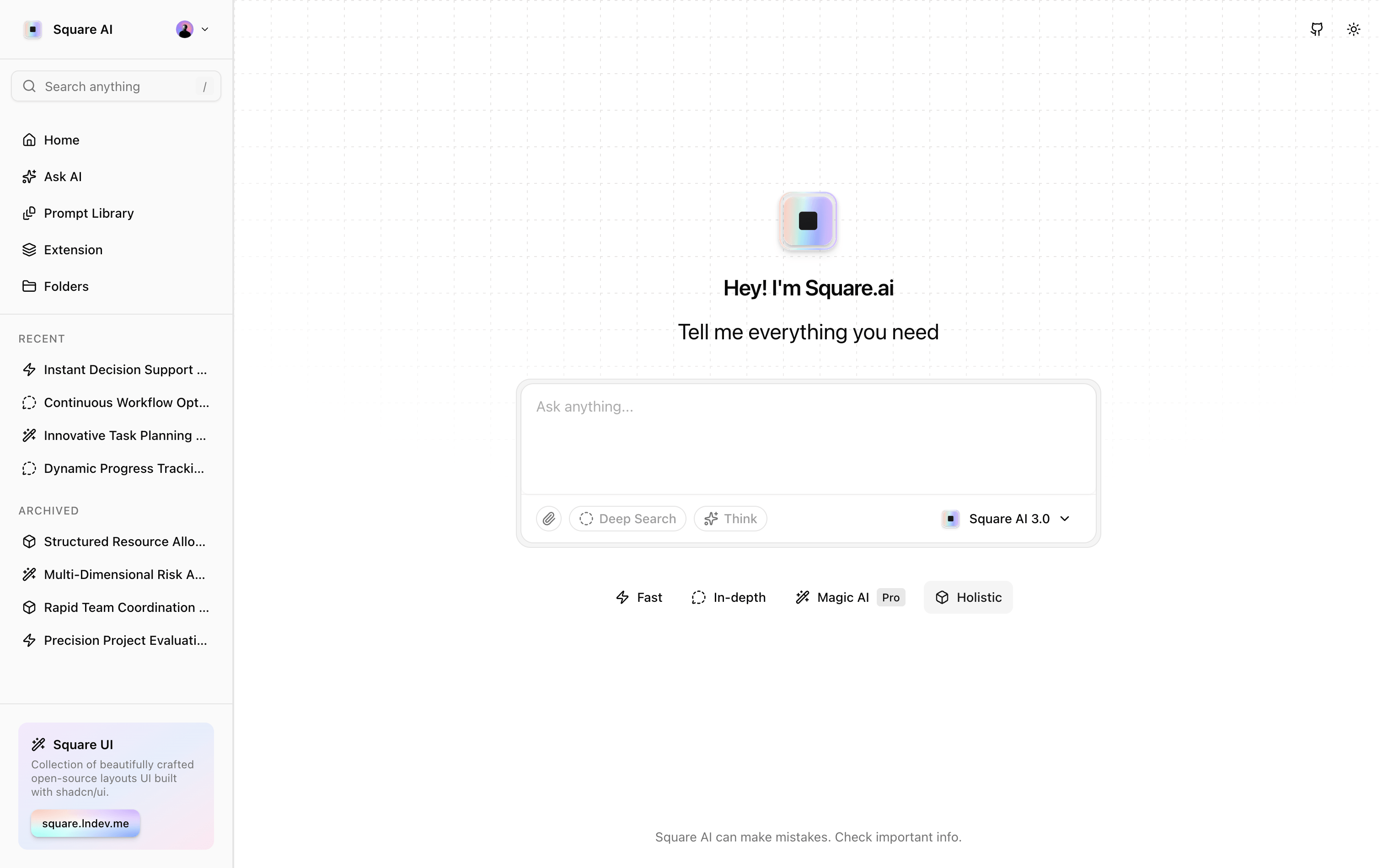
- GitHub Source (Radix UI): templates/chat
- Live Preview: View Chat Demo
Architectural Breakdown
- Layout: A left sidebar for conversation history, and a centered conversation container with a floating prompt textarea at the bottom.
- Tech Highlights: Auto-scrolling containers, markdown rendering, syntax code block highlighting, and quick prompt helper grids.
7. Marketing & CRM Dashboards (Tiers 1 to 5)
An extensive collection of administrative interfaces designed for tracking campaigns, view statistics, and team operations.
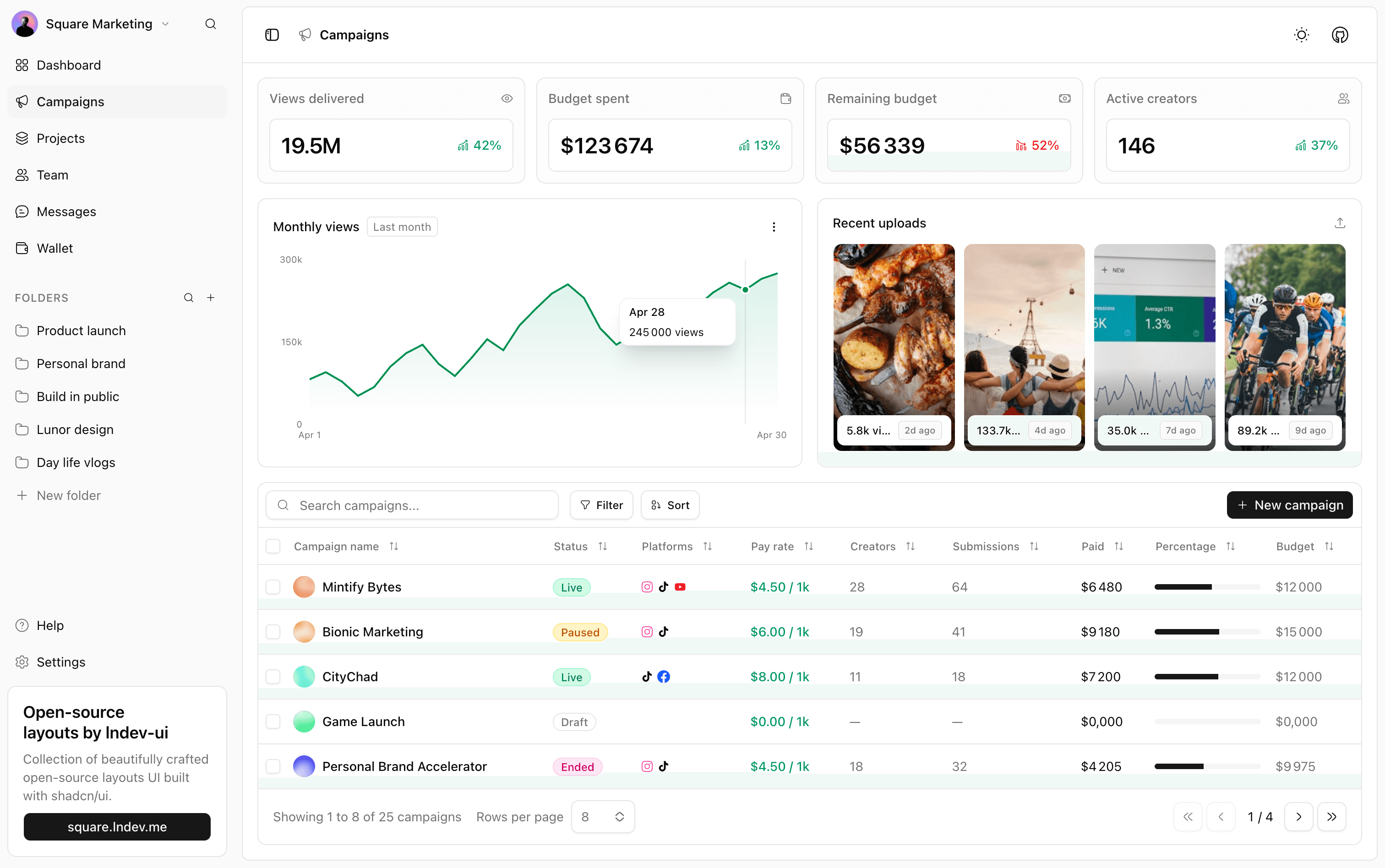
- GitHub Source (Marketing - Radix): templates/marketing-dashboard
- GitHub Source (Marketing - Base UI): templates-baseui/marketing-dashboard
- Live Preview (Marketing): View Marketing Demo
CRM Sales (Dashboard 2)
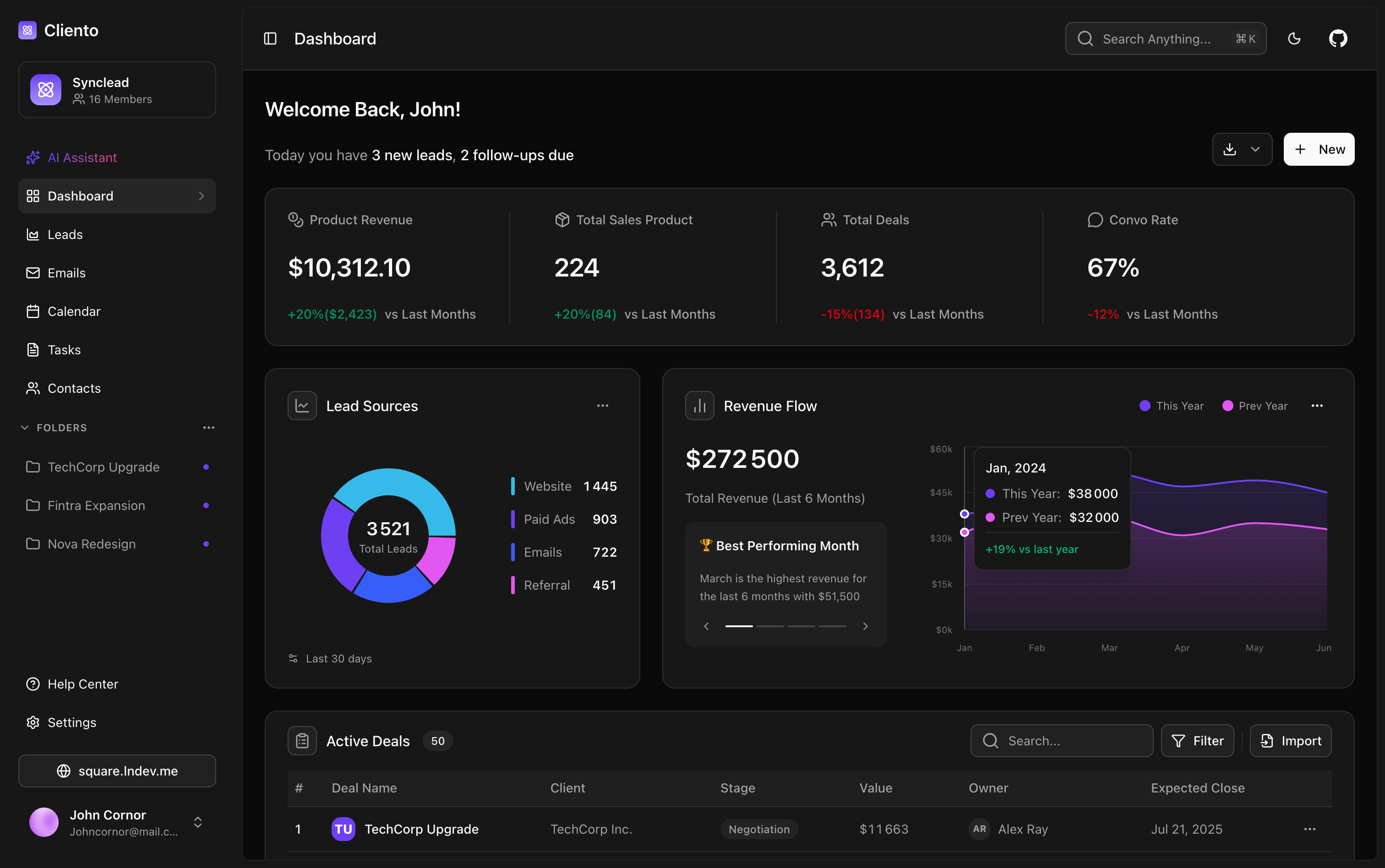
- GitHub Source: templates/dashboard-2
- Live Preview: View CRM Demo
HR Analytics (Dashboard 3)
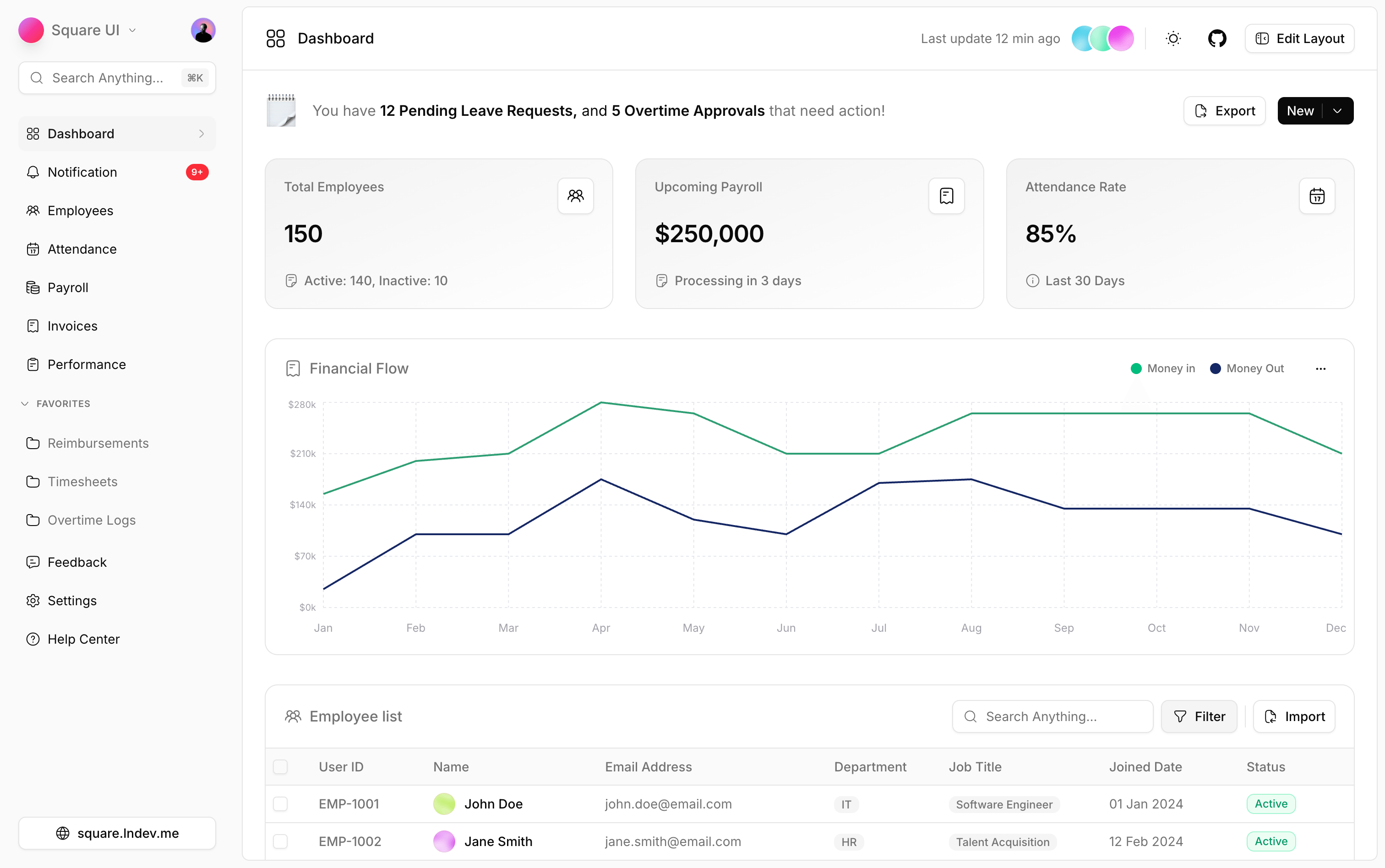
- GitHub Source (Radix UI): templates/dashboard-3
- GitHub Source (Base UI): templates-baseui/dashboard-3
- Live Preview: View HR Demo
Creator Performance (Dashboard 4)
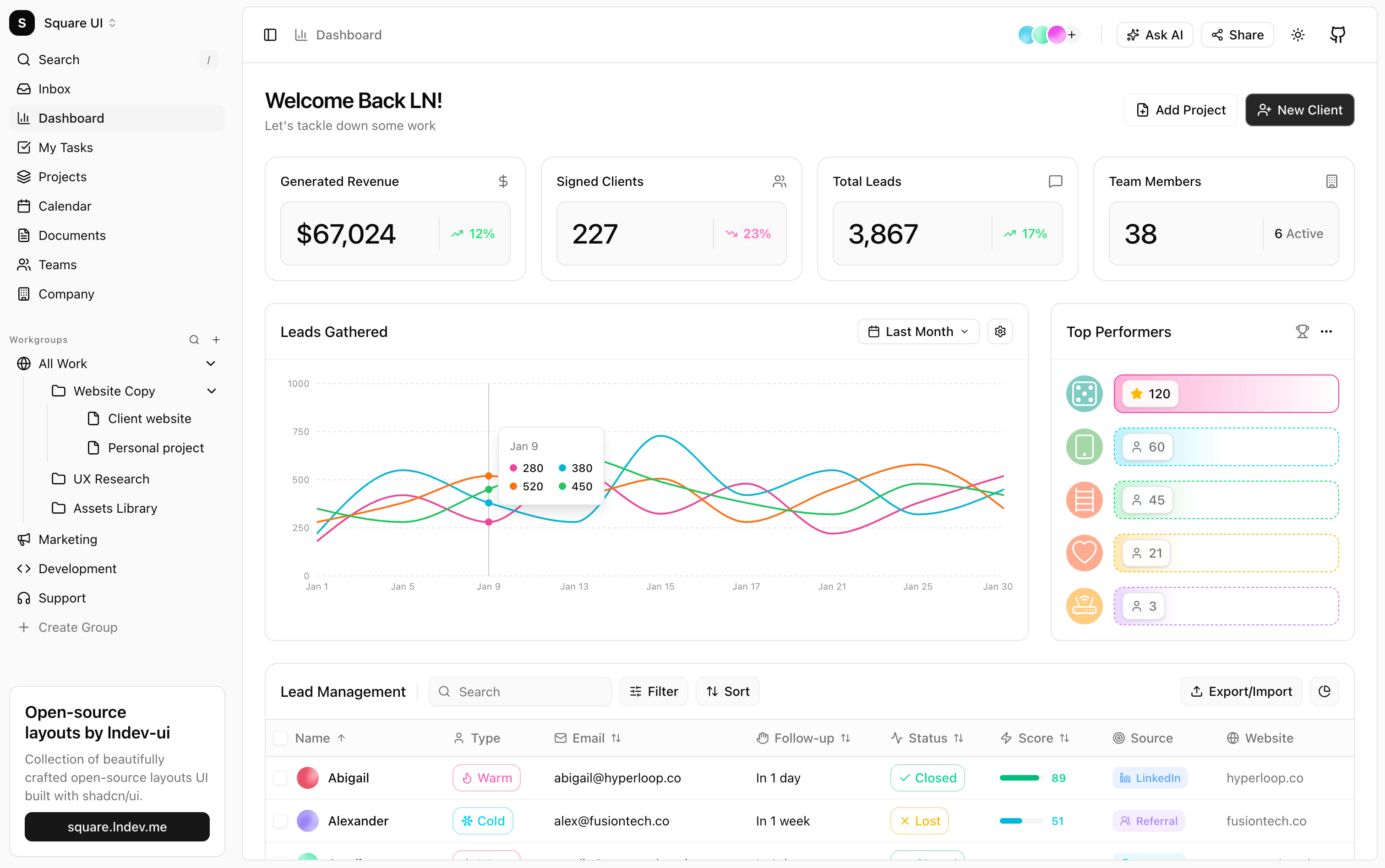
- GitHub Source (Radix UI): templates/dashboard-4
- GitHub Source (Base UI): templates-baseui/dashboard-4
- Live Preview: View Creator Demo
Task & Project Health (Dashboard 5)
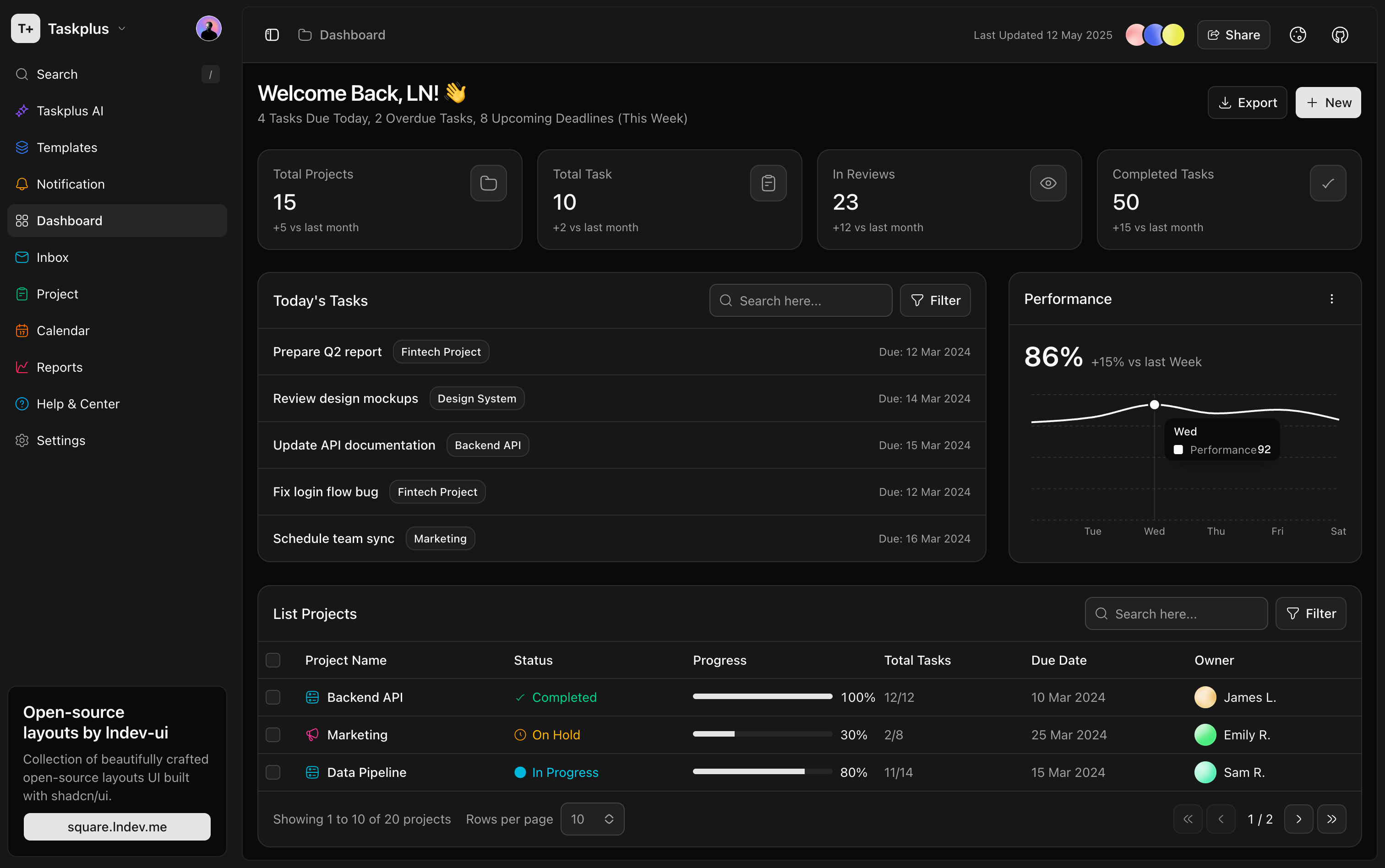
- GitHub Source (Radix UI): templates/dashboard-5
- GitHub Source (Base UI): templates-baseui/dashboard-5
- Live Preview: View Task Dashboard Demo
Executive (Dashboard 1)
- GitHub Source: templates/dashboard-1
- Live Preview: View Executive Demo
- Key Tech & Features: Recharts AreaCharts and BarCharts with visual gradients, stats cards with trend indicators, and data grids powered by TanStack Table.
8. Productivity & Schedulers (Bookmarks, Calendar & Tasks)
Core productivity grids for tracking events, bookmarks, and lists.
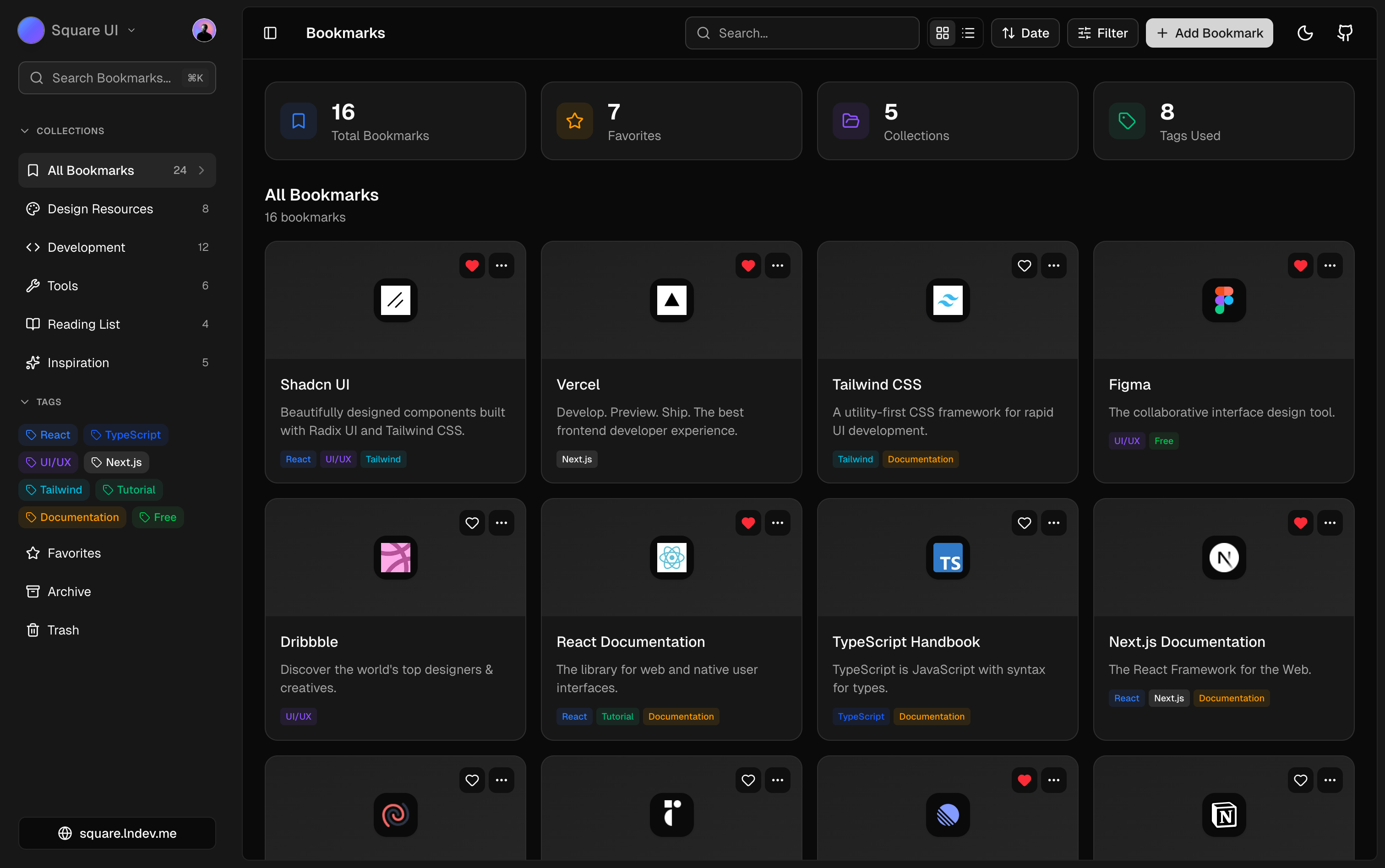
- GitHub Source (Bookmarks - Radix): templates/bookmarks
- GitHub Source (Bookmarks - Base UI): templates-baseui/bookmarks
- Live Preview (Bookmarks): View Bookmarks Demo
Calendar & Event Scheduler
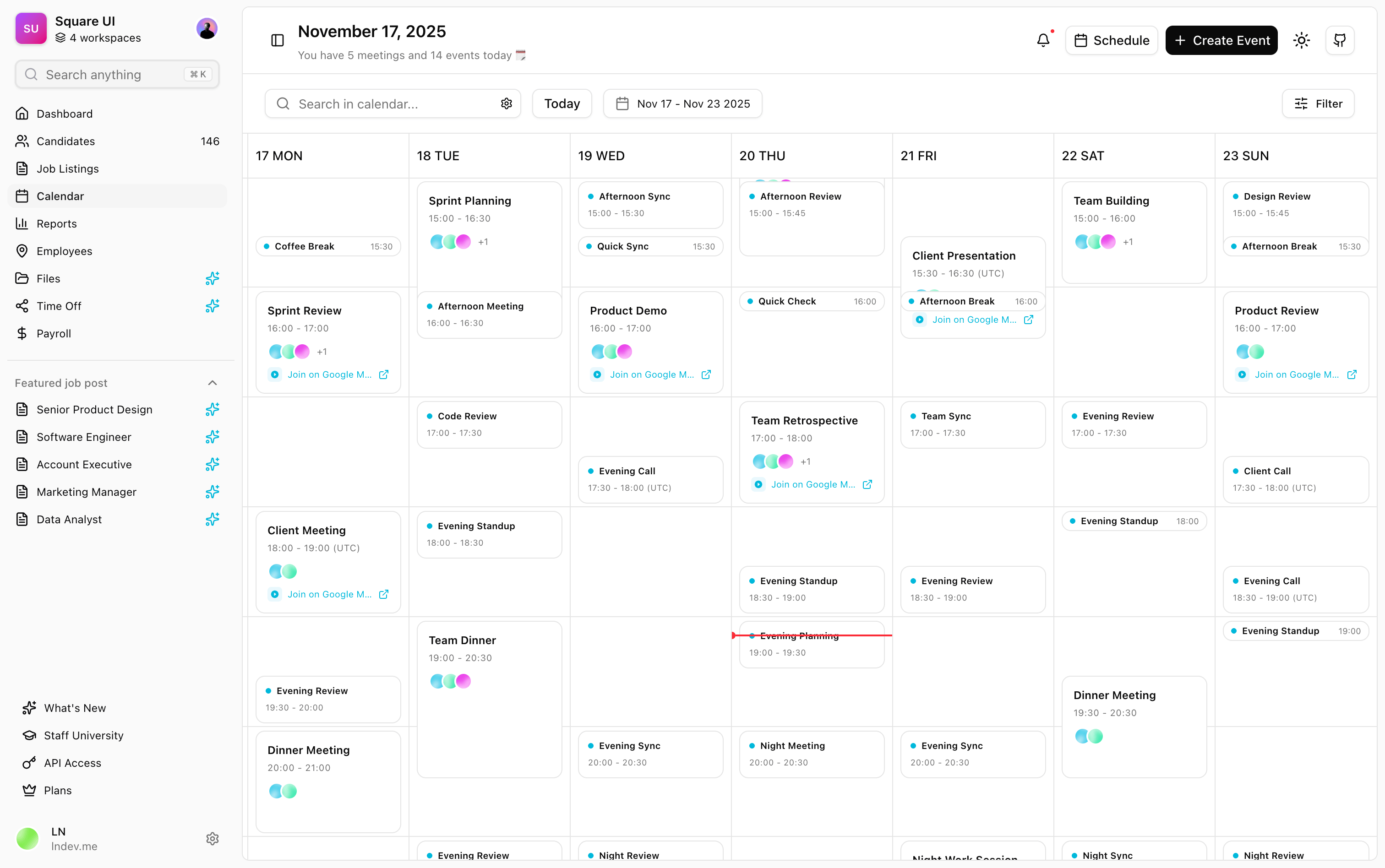
- GitHub Source (Calendar - Radix): templates/calendar
- GitHub Source (Calendar - Base UI): templates-baseui/calendar
- Live Preview (Calendar): View Calendar Demo
Advanced Tasks Kanban
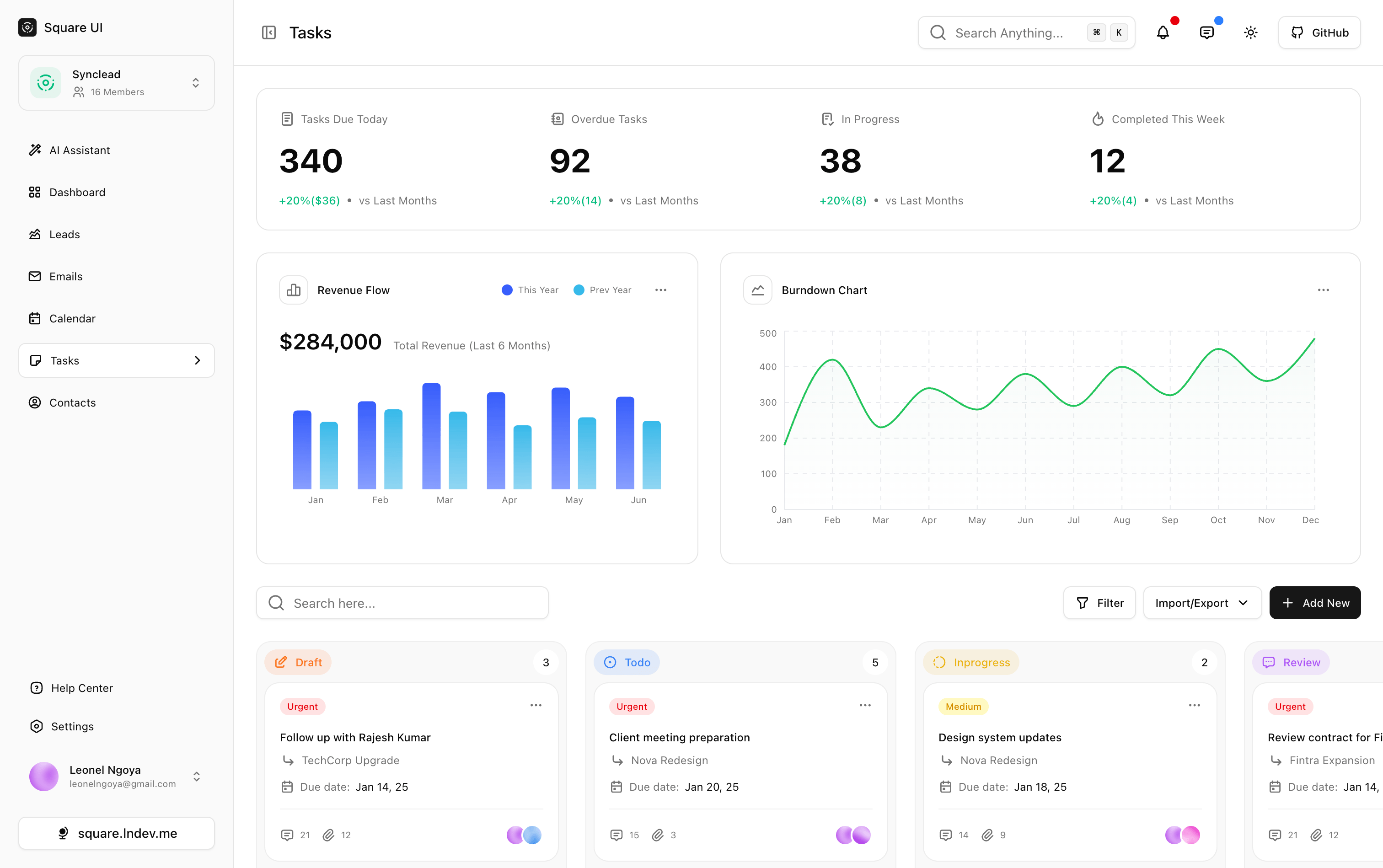
- GitHub Source (Tasks - Radix): templates/tasks
- Live Preview (Tasks): View Tasks Demo
- Key Tech & Features: Bookmarking folder systems, calendar grids supporting week-view events, and contact lists with advanced search operations.
9. Specialized Niches (Atelier, Cellar, Cookbook, Skyport, Vault, Finance)
Targeted dashboards custom-built for specific industries like digital asset designing, inventory logs, cooking records, secure credentials vaults, and financial flowsheets.
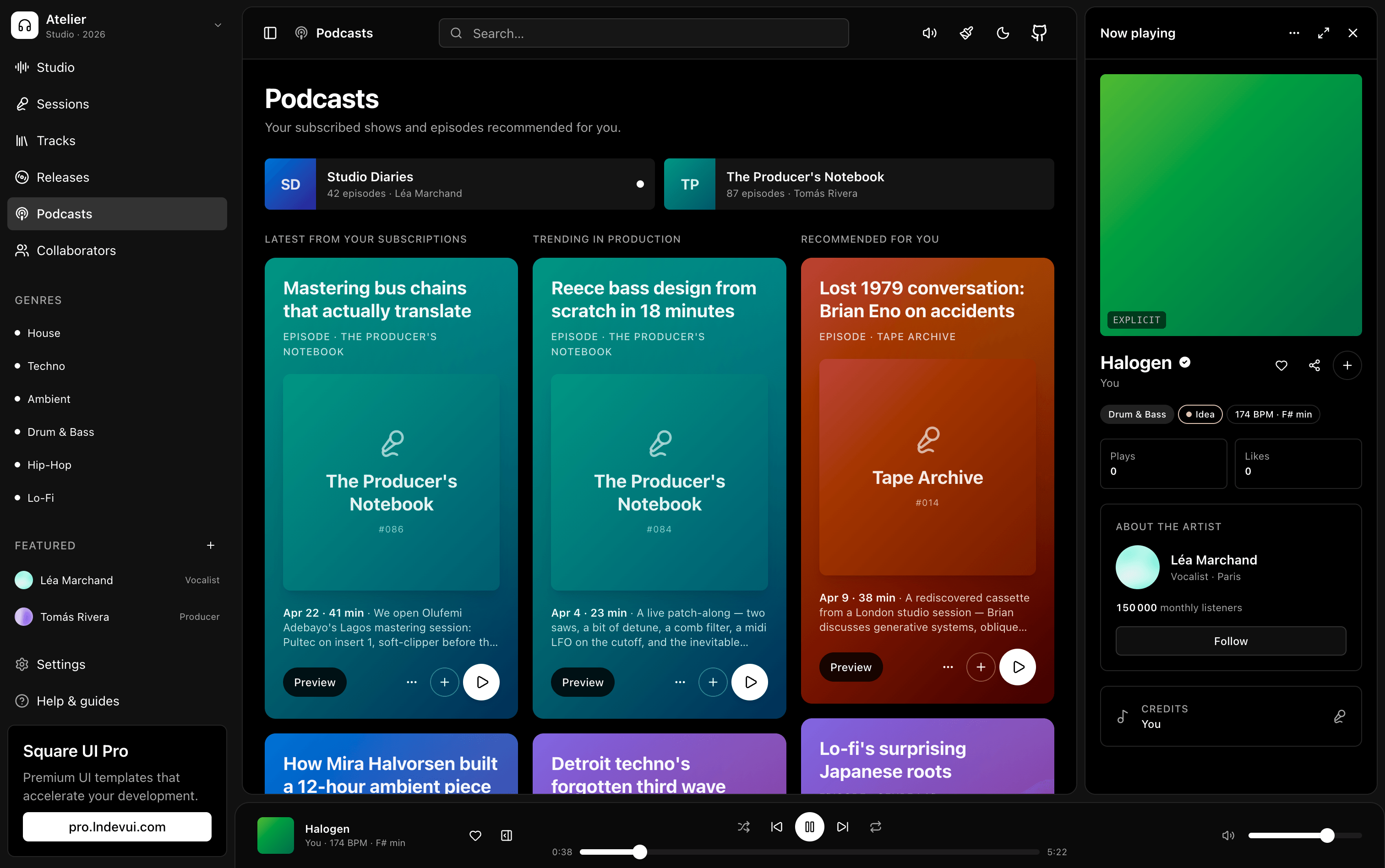
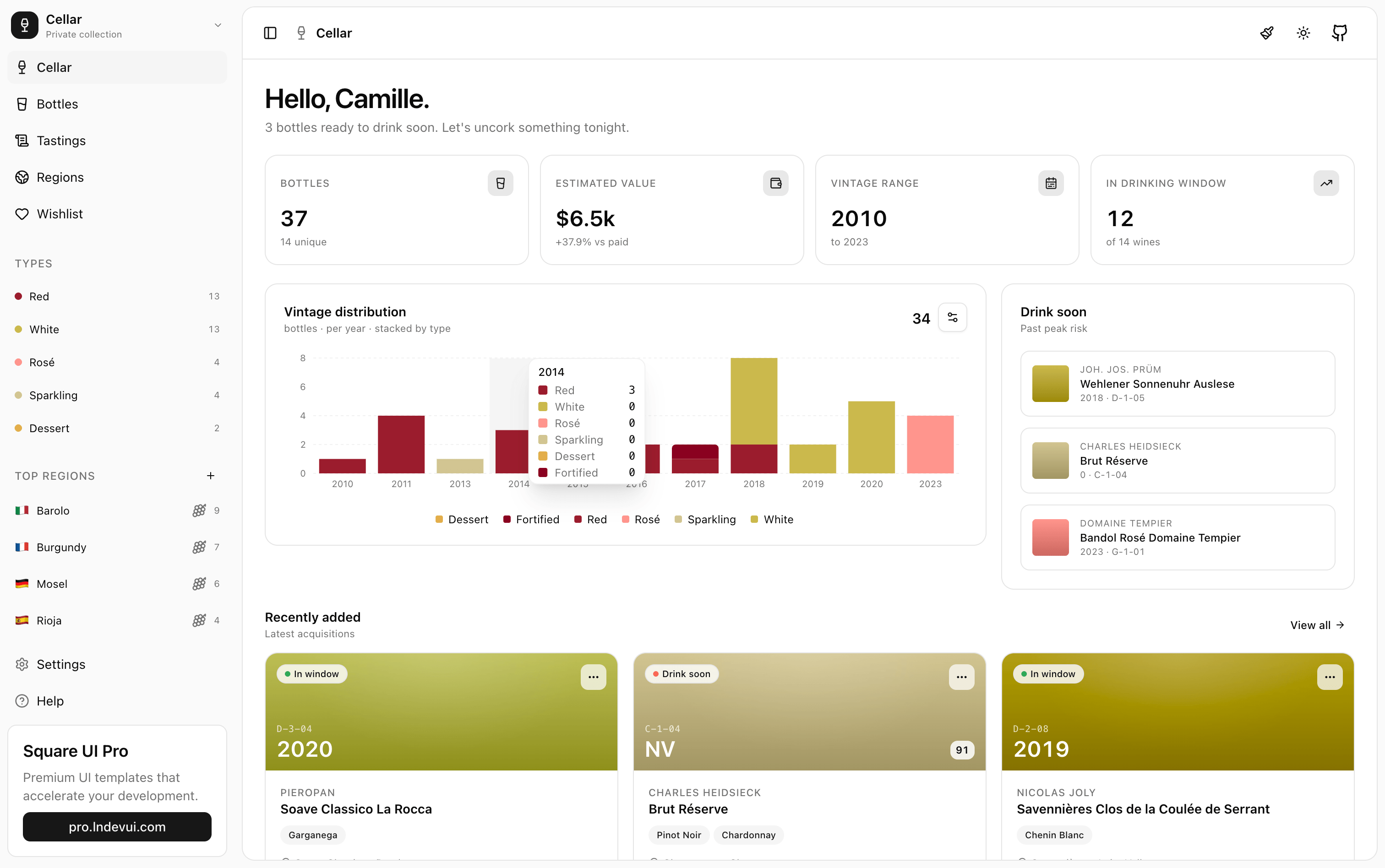
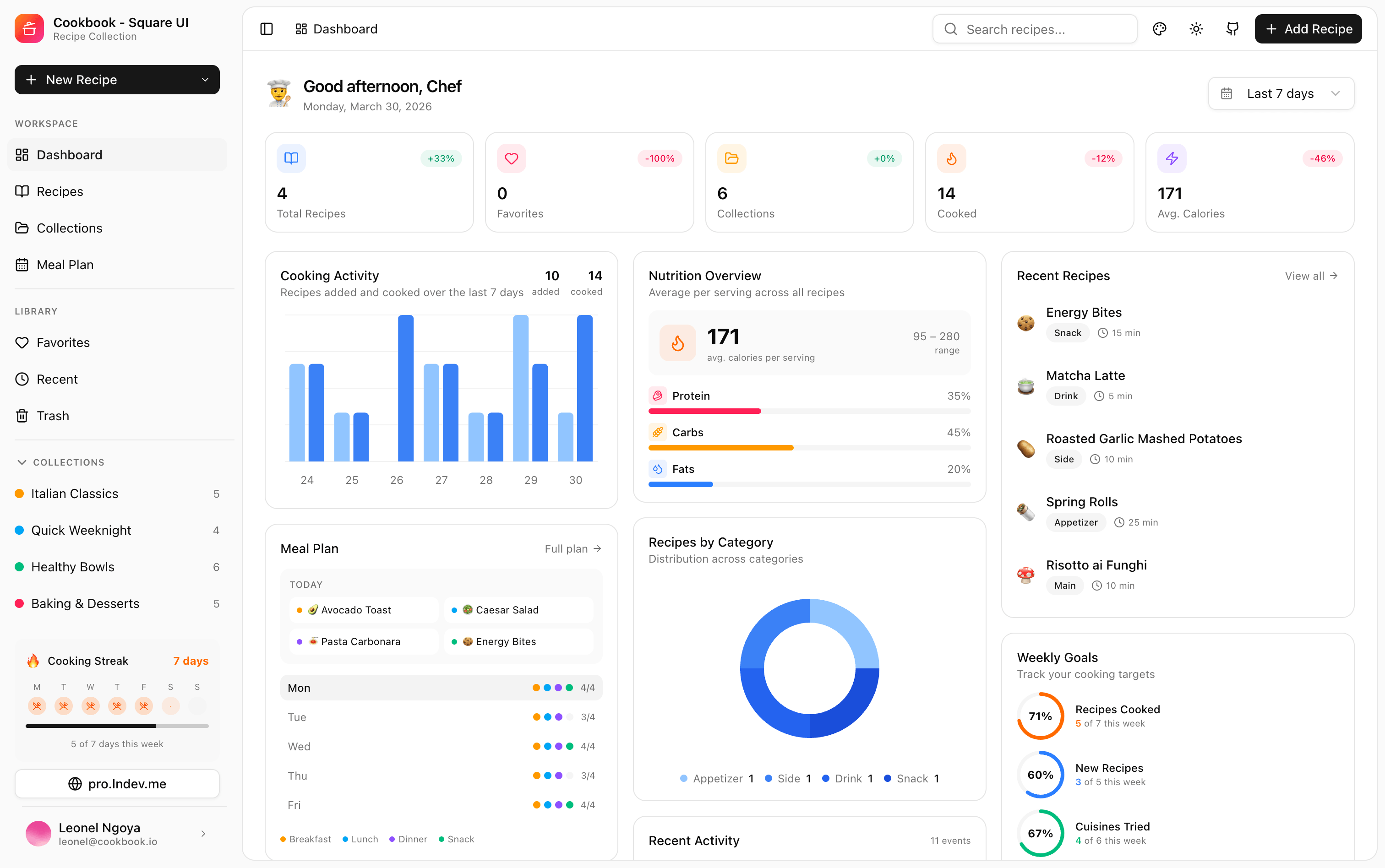
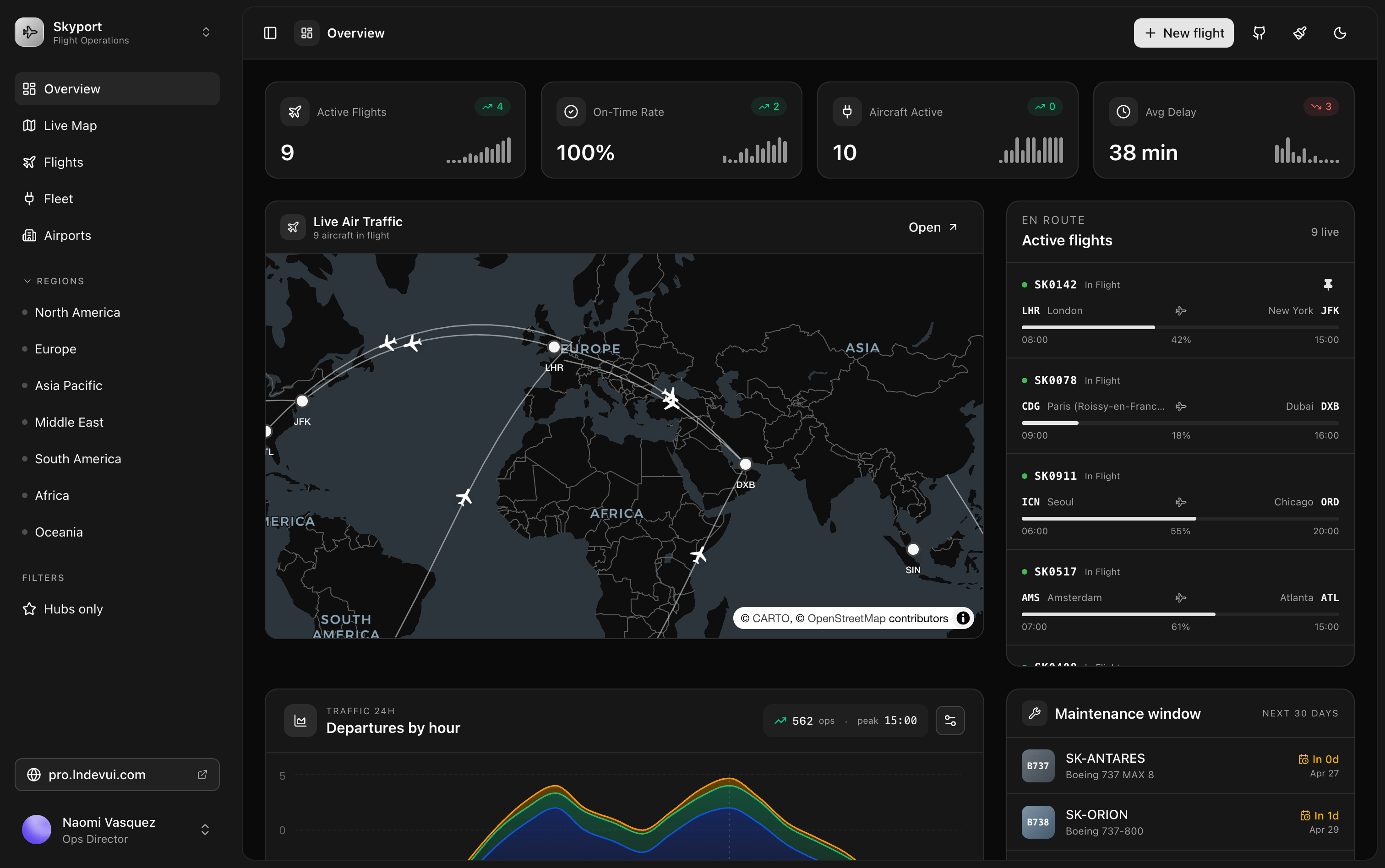
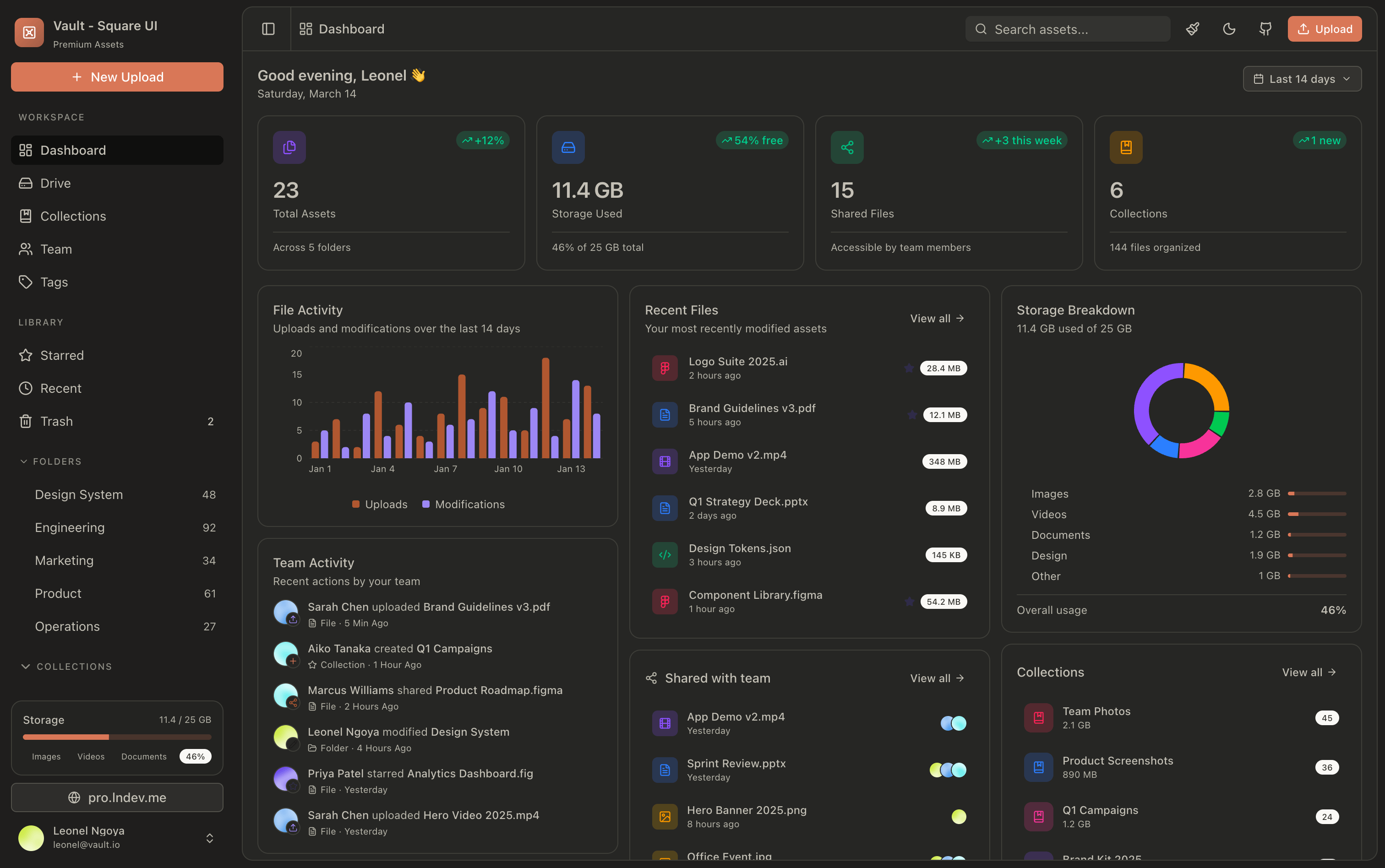
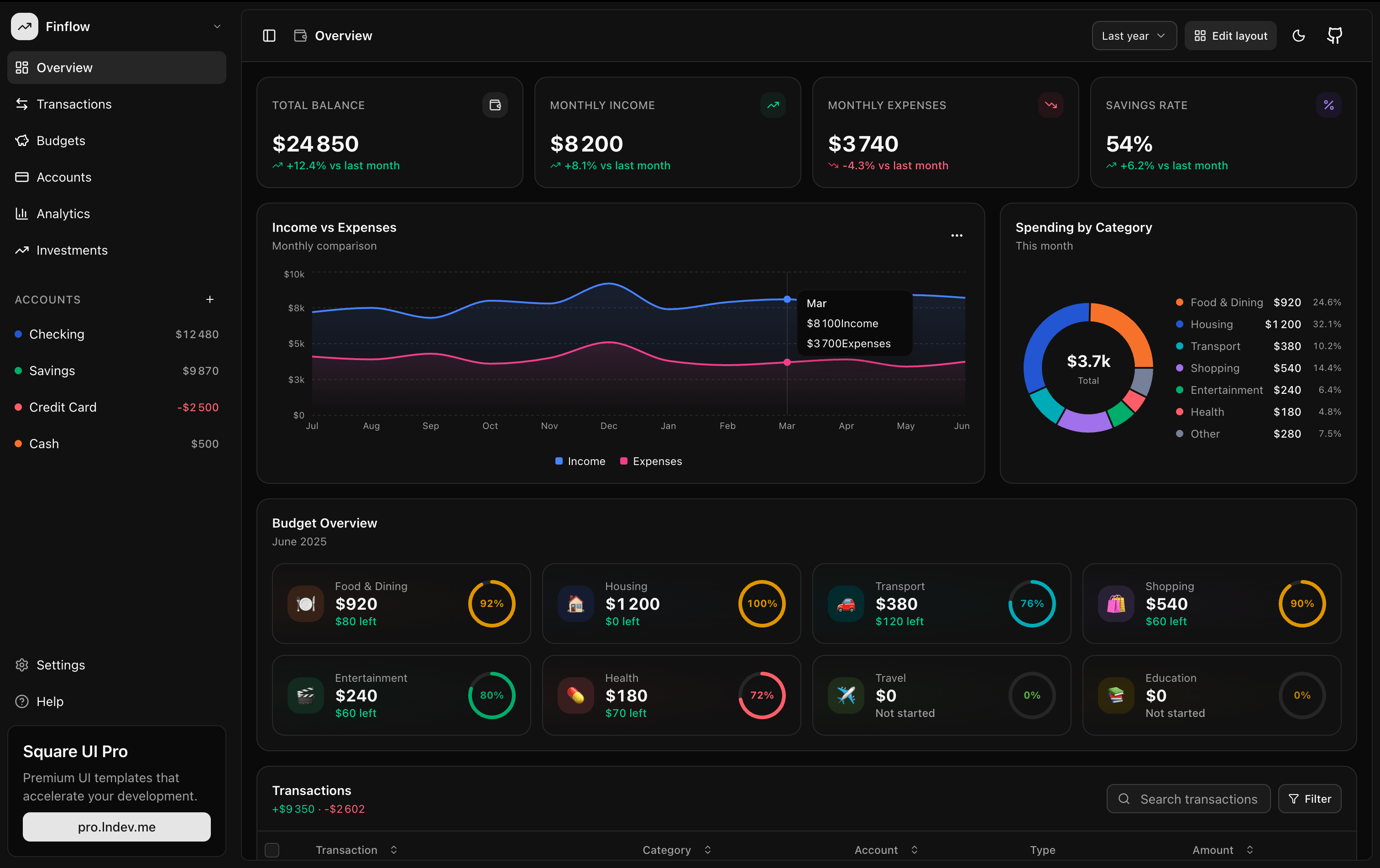
- Atelier: An asset management workspace designed for creatives.
- Cellar: A structured inventory layout for wine cellars or product collections.
- Cookbook: A cooking recipe catalog with categorization cards.
- Skyport: A monitoring dashboard showing real-time server statuses and metrics.
- Vault: A secure layout built for credential management and data protection.
- Finance Tracker: A spreadsheet-like layout for expenses, investments, and payouts.
💎 The Value of Open Source Engineering
Square UI shows what is possible when a designer's eye meets a software engineer's discipline. Leonel Ngoya has built a suite that doesn't just save time—it establishes a baseline of quality for open-source Next.js templates.
To explore all the templates live, head over to square.lndevui.com. If you want to support Leonel's work, check out Square UI Pro or star the project on GitHub!